






As of February 2023, Google requires you to have DKIM set up, without DKIM your emails will be bounced and not delivered. They may also be marked as SPAM. And that is undesirable.
This is the email that will be returned to you from Google in the absence of DKIM.
From: Mail Delivery System <MAILER-DAEMON@VASEDOMENA.CZ>
Sent: Monday, January 23, 2023 8:22 PM
To: info@vasedomena.cz
Subject: Undelivered Mail Returned to Sender

This is the mail system at host mail.vasedomena.cz.

I'm sorry to have to inform you that your message could not be delivered to one or more recipients. It's attached below.

For further assistance, please send mail to postmaster.
If you do so, please include this problem report. You can delete your own text from the attached returned message.
The mail system

<prijemce-emailu-xyz@gmail.com>: host gmail-smtp-in.l.google.com[142.250.27.26]
said: 550-5.7.26 This message does not pass authentication checks (SPF and
DKIM both 550-5.7.26 do not pass). SPF check for [VASEDOMENA.cz] does not
pass with ip: 550-5.7.26 [1.2.3.4].To best protect our users from
spam, the message 550-5.7.26 has been blocked. Please visit 550-5.7.26
https://support.google.com/mail/answer/81126#authentication for more 550
5.7.26 information. e9-20020a17090658xxxxxxxxxxxxxxxxxxxxxxx2292ejs.117 -
gsmtp (in reply to end of DATA command)
To get it, just click on Create DKIM. It is generated in a moment.
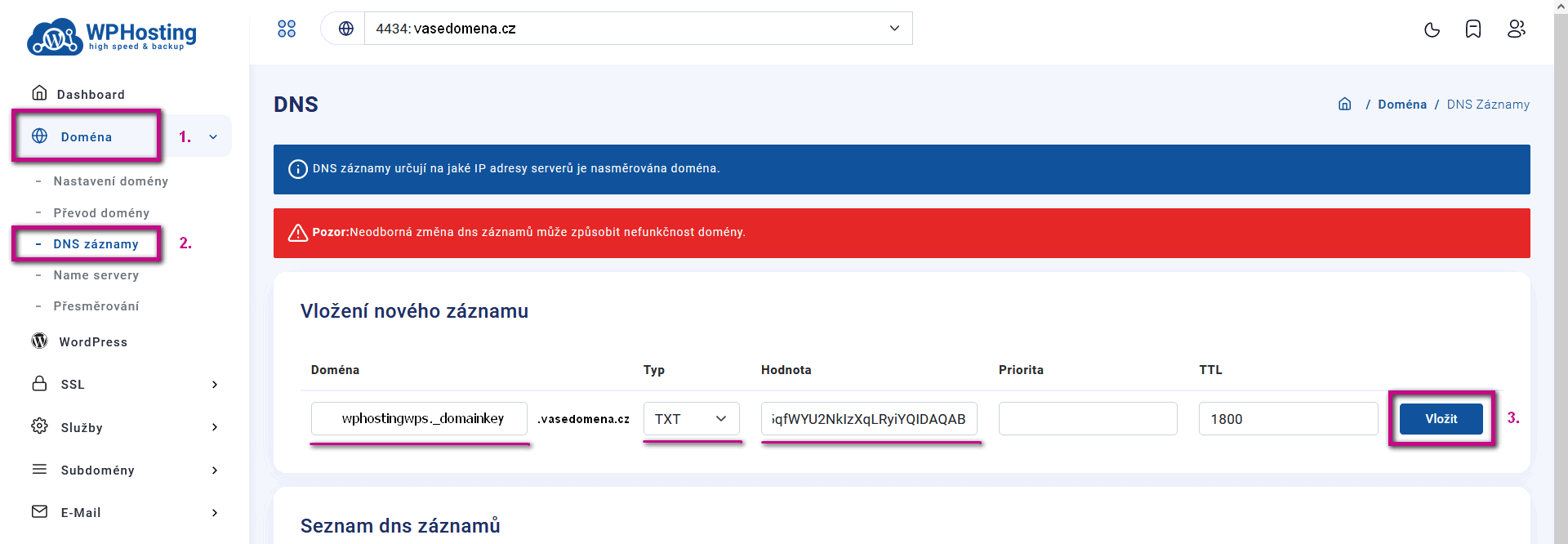
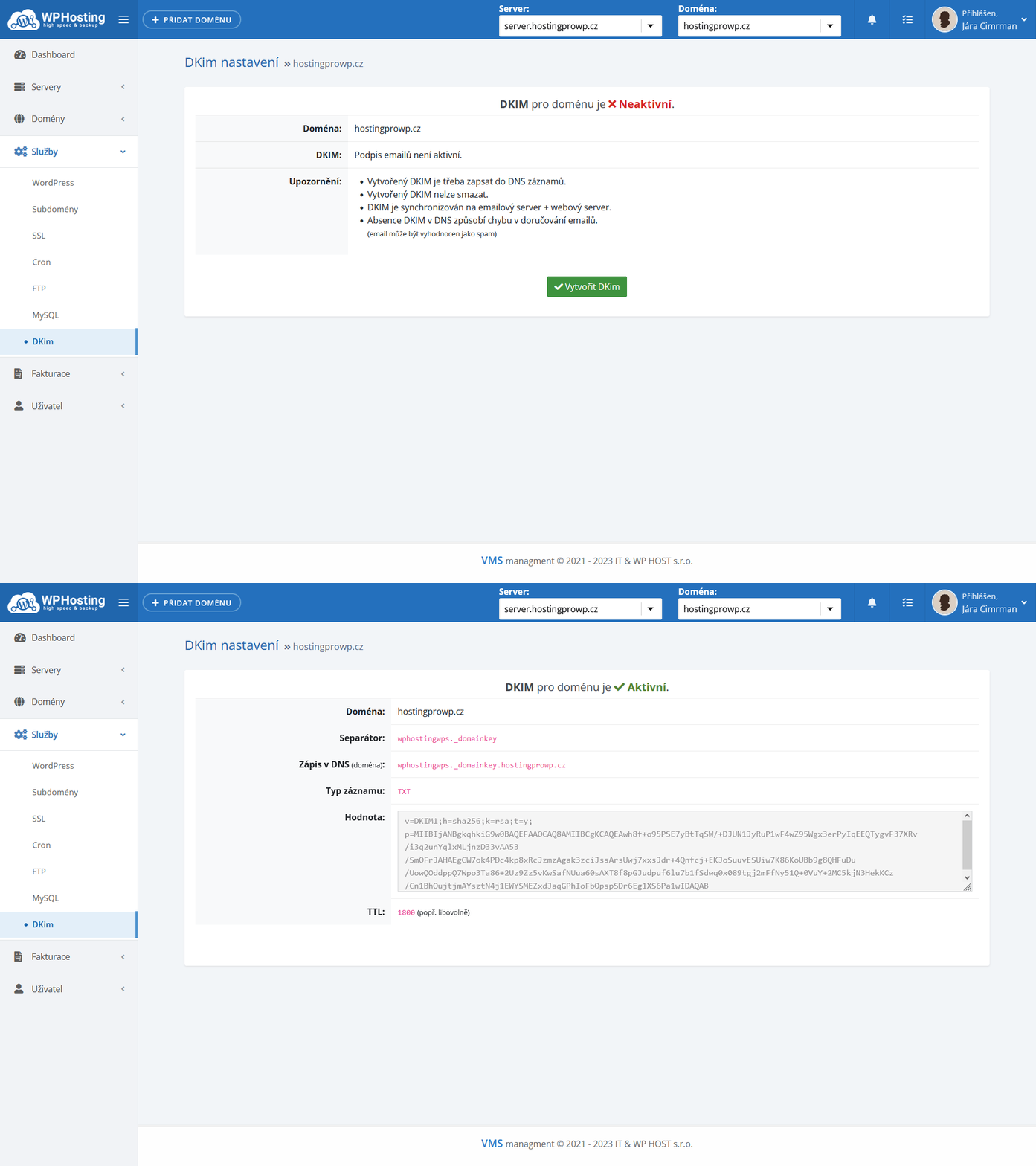 Once you have created a DKIM, you need to enter it into DNS in the domain settings. Login to the hosting administration (in our case admin.wp-hosting.cz ). Select the appropriate domain and select Domain (1.) and DNS Records (2.). Insert the separator , change the type to TXT and enter the value. Then click Insert (3.) . Within 24 hours (it can be a matter of hours), this record will be published on the Internet. Once this DKIM is known to Google, your emails will stop returning.
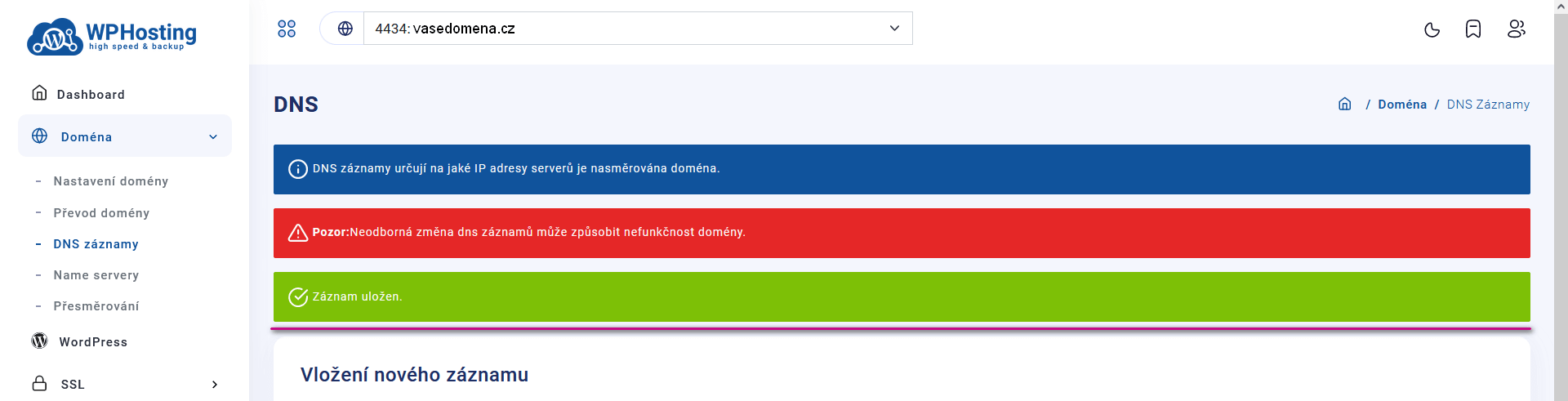
Successful saving of the record is confirmed – The record has been saved.
If you have domains with another provider, you need to insert the record with that provider. Alternatively, ask the registrar to do this for you.
