






In this update, we have focused on domain (hosting) work and made some particularly functional changes in the application.
What did we add?
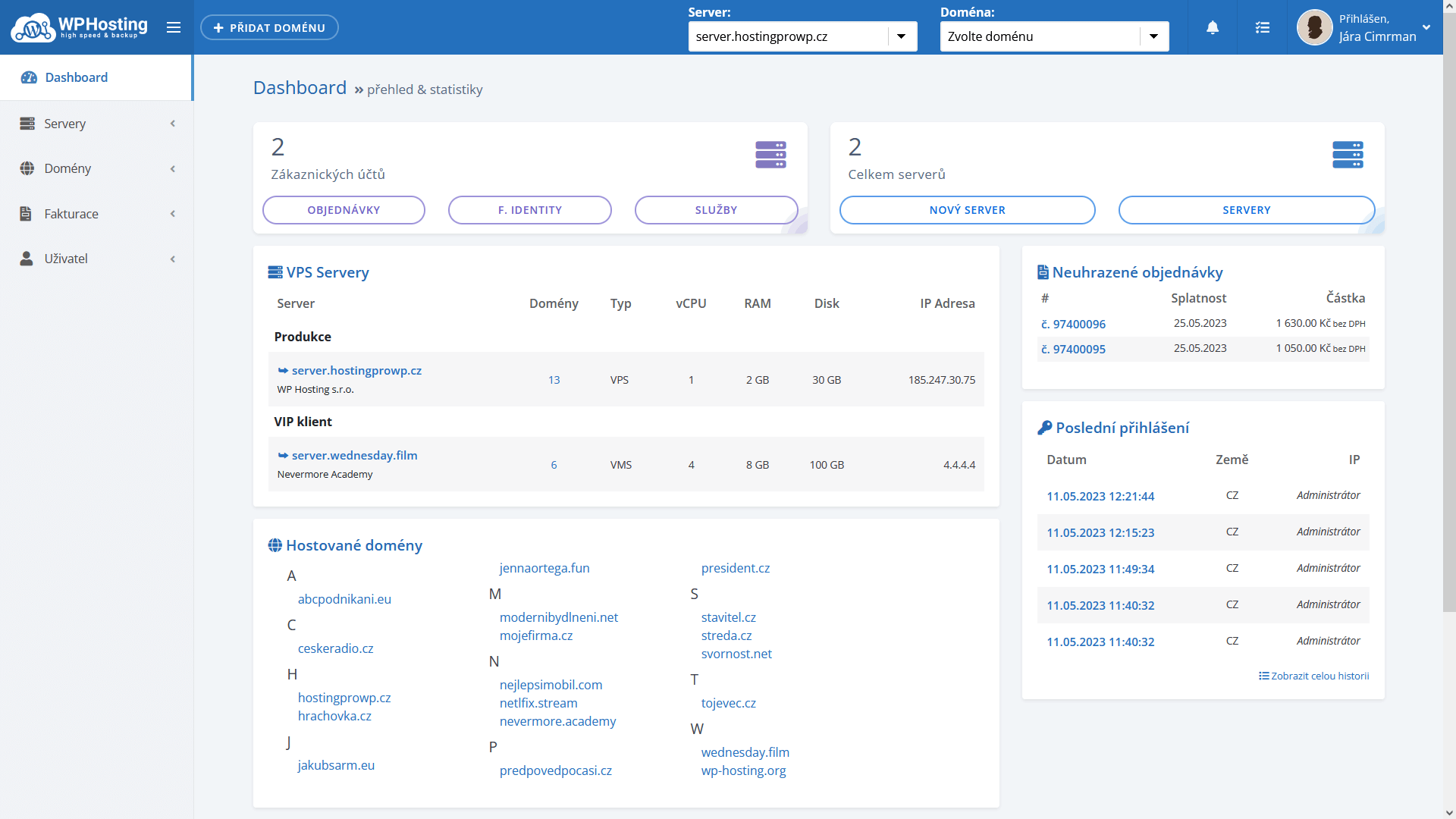
- New dashboard – listing domains across servers
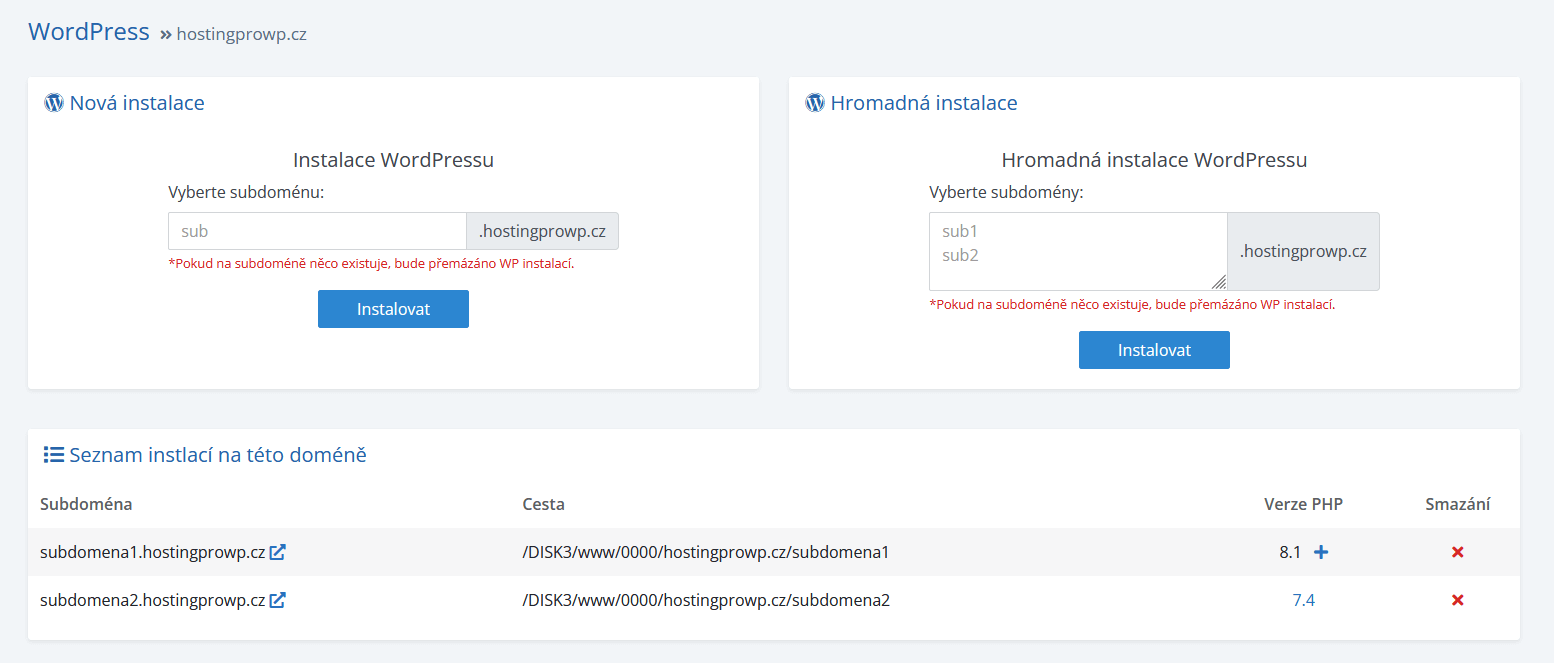
- Display PHP version for wordpress installations
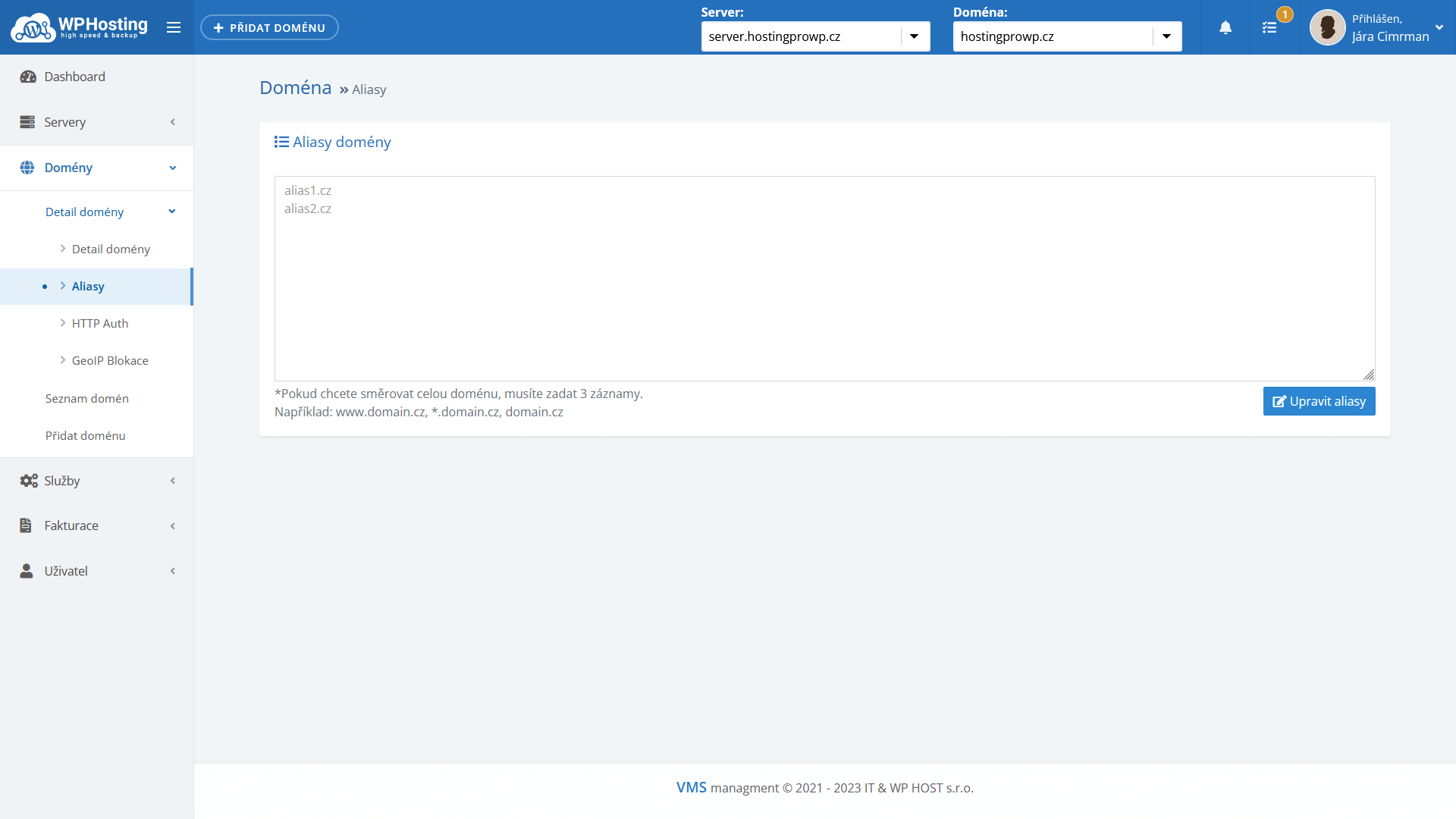
- Adding custom alias settings for hosting
- Add http authorization
New dashboard – listing domains across servers
The news will be especially appreciated by users who host multiple domains on the server. The Dashboard will start displaying the Hosted Domains block from 5 domains onwards for easier navigation and quick click through to the domain detail.
Display PHP version for wordpress installations
If you are installing new wordpress sites from our administration, the system now offers easy settings for the subdomain of a wordpress instance. Subdomains are created as separate configurations for webserver and PHP settings. This isolates the entire website from the main domain and existing subdomains. No physical directory is created on the server when the subdomain is created. Only the properties for the webserver and PHP are set.
Adding custom alias settings for hosting
To avoid the user having to write requests to the administrators to set up aliases, there is an option to set up aliases directly from the application. Keep in mind that after adding aliases, you need to extend the SSL certificate with these aliases.
Add http authorization
Restricting access using http authorization (technically solved by mod_auth) is useful, especially if you don’t want to leave the restriction on the web page, so that the webmaster can accidentally cancel it and the site gets into the world with the possibility of indexing, for example, an unfinished site, or even a copy of it.
Setting and deauthorization is done in the same place in the administration and is not stored anywhere in the website space. Therefore, http authorization cannot be revoked in any other way than from this location.
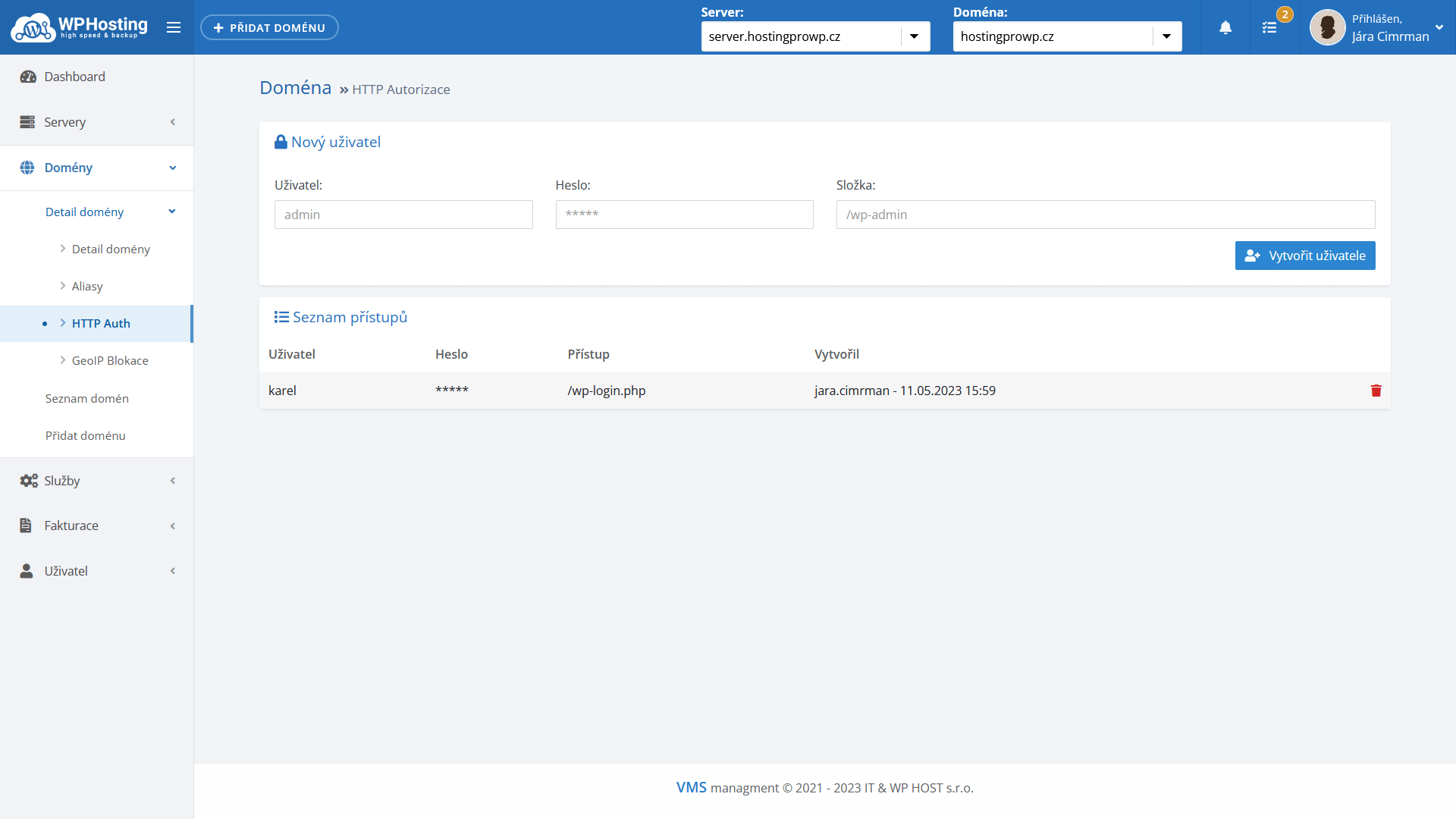
Tip: if you specify the folder as /wp-login.php only, the restriction will apply to all future and current subdomains. If you specify an address including a subdomain, the http authorization setting will apply only to the selected subdomain (or folder, file, etc).
