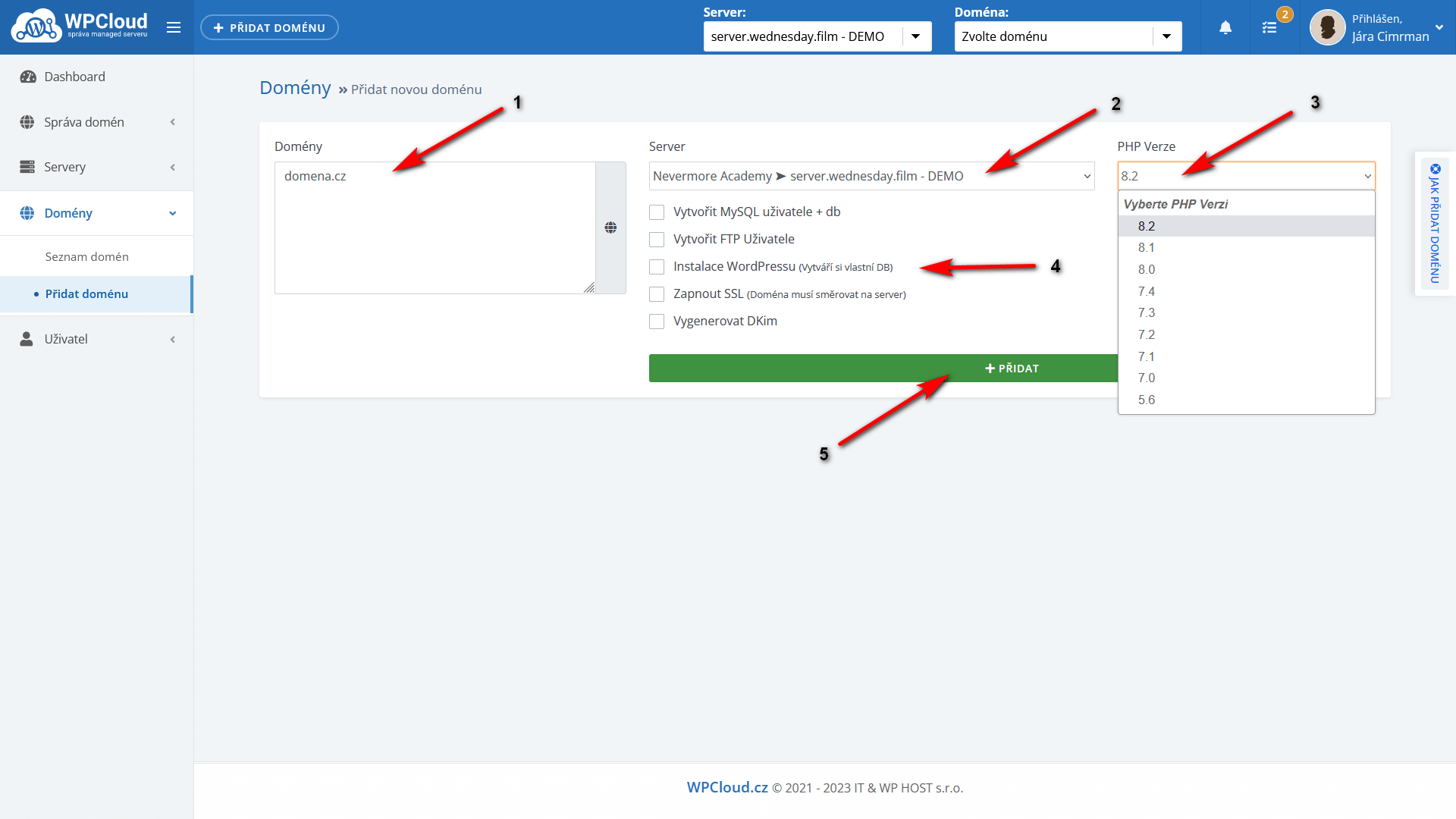






In the blue bar above, click + Add Domain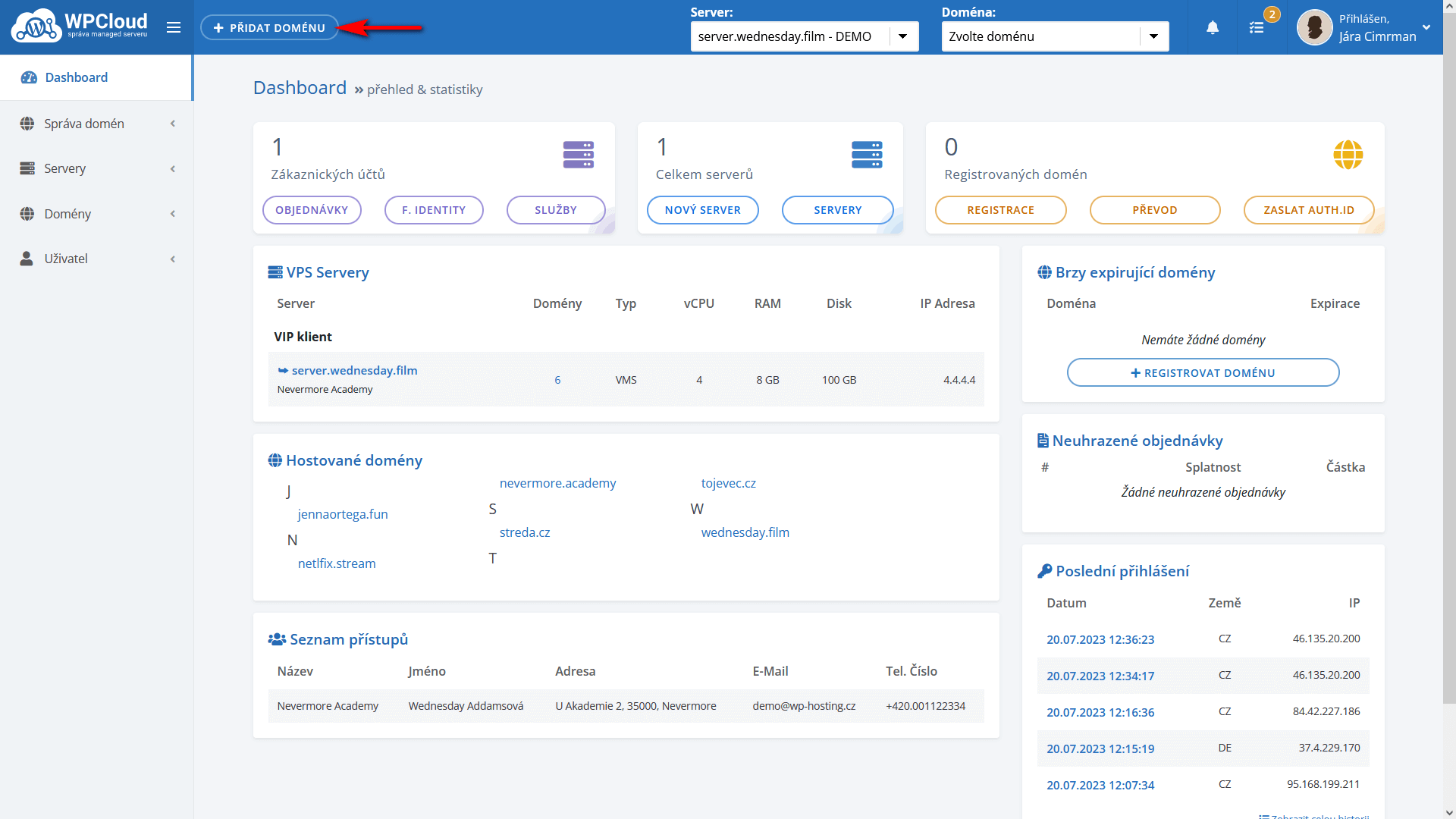 to open the settings for the domain:
1) Enter the full second-level domain name (domain.cz)
2) Select the server you want to add the domain to
3) Select PHP version (5.6 – 8.2 are supported)
4) Here are a few additional options. You can tick these or set them later. If we don’t need it, we’ll leave it as is.
5) Confirm + Add